- Ninja AI Tools
- Posts
- 🥷 Don’t Sleep on This AI Tool + News That Matters + Quick Guide
🥷 Don’t Sleep on This AI Tool + News That Matters + Quick Guide

Brad Gaines
November 21, 2025
In partnership with


Hello AI Ninja! Here’s what’s on the agenda today…
🥷 NINJA AI TOOL: Make Talking Avatars for Free with AI
🗞️ WHAT’S HAPPENING: Breaking AI News and Updates
📈 WHAT’S POPULAR: Top Trending AI Websites & Tools
🎓 AI TUTORIAL: 7 Steps to Master Nano Banana Pro
🔥 HOT OFF THE PRESS: Brand New AI Tool Releases
NINJA AI TOOLS
🥷 You Won’t Believe How Easy (and Free) It Is to Make Human-Like AI Clips
Making human-like AI videos that actually look and sound real has been a persistent headache. Maybe your subject's face warps frame to frame. Maybe the lip sync is off, or their identity just doesn’t hold up over a full clip. HUMO AI tackles that directly.
This tool generates short, human-centered videos from a combination of text, images, and audio. You describe the scene in a prompt, optionally provide a reference image of the person, and add audio if you want their movement or lip sync to match speech or music. HUMO keeps the subject visually consistent, follows the prompt clearly, and syncs motion to sound.

Key features:
Combine text, image, and audio to guide video generation
Maintain identity using one or more reference images
Generate realistic talking/singing videos with lip and body motion synced to audio
Fine-tune how strongly each input (text, image, audio) influences the output
Outputs at 480p or 720p, adjustable frame count and guidance control
How You Might Use It:
Create character clips for games or media that maintain a consistent look
Generate educational videos with synced narration and visual presence
Make lifelike talking avatars for product demos or explainer content
Reenact scenarios using a person’s image but a new script and setting
Best For:
Freelancers making media on a budget, marketers who want talking avatars without a studio, educators building video explainers, and devs experimenting with multimodal AI workflows.
If you’re curious, you can use it for free here.
BREAKING AI NEWS

GPT‑5.1‑Codex‑Max Brings Million-Token Coding to Real Software Work
Why It Matters → It makes AI a hands-on partner for big coding tasks, from bug fixes to full-scale project rewrites.
Google Plans 1000× AI Compute Growth to Meet Demand Surge
Why It Matters → Massive scaling reshapes cloud, chips, and AI cost dynamics for years to come.Olmo 3 Releases Fully Transparent Open-Source LLMs
Why It Matters → Opens the black box of AI training, enabling reproducible and trustworthy research.Chai-2 Platform Designs Antibodies Beyond Human Limits
Why It Matters → AI accelerates medical discovery for hard-to-target diseases with custom biologics.ChatGPT Adds Group Chat for 20 Users with Private Memory
Why It Matters → Enables real-time, AI-enhanced teamwork while keeping user settings secure.Warner Music and Stability AI Partner on Ethical Audio Tools
Why It Matters → Empowers artists with AI while prioritizing copyright, consent, and fair use.Comet AI Browser Launches on Android with Voice and Ad-Block
Why It Matters → Brings smart search and AI-powered multitasking to mobile with privacy built-in.Manus Browser Operator Automates Web Tasks Securely
Why It Matters → Turns AI into a personal agent for real-time workflows on logged-in websites.NotebookLM Launches Infographics and Slide Deck Output
Why It Matters → Makes data storytelling faster and easier for reports, pitches, and teaching.Advocates Warn Against AI Toys for Kids This Holiday
Why It Matters → Raises urgent concerns over privacy, manipulation, and child-safe AI design.Elon Musk: AI Will Make Work Optional, Money Irrelevant
Why It Matters → Provokes debate about post-labor economies and the future of human purpose.
A MESSAGE FROM OUR PARTNER
The New Framework for Enterprise Voice AI
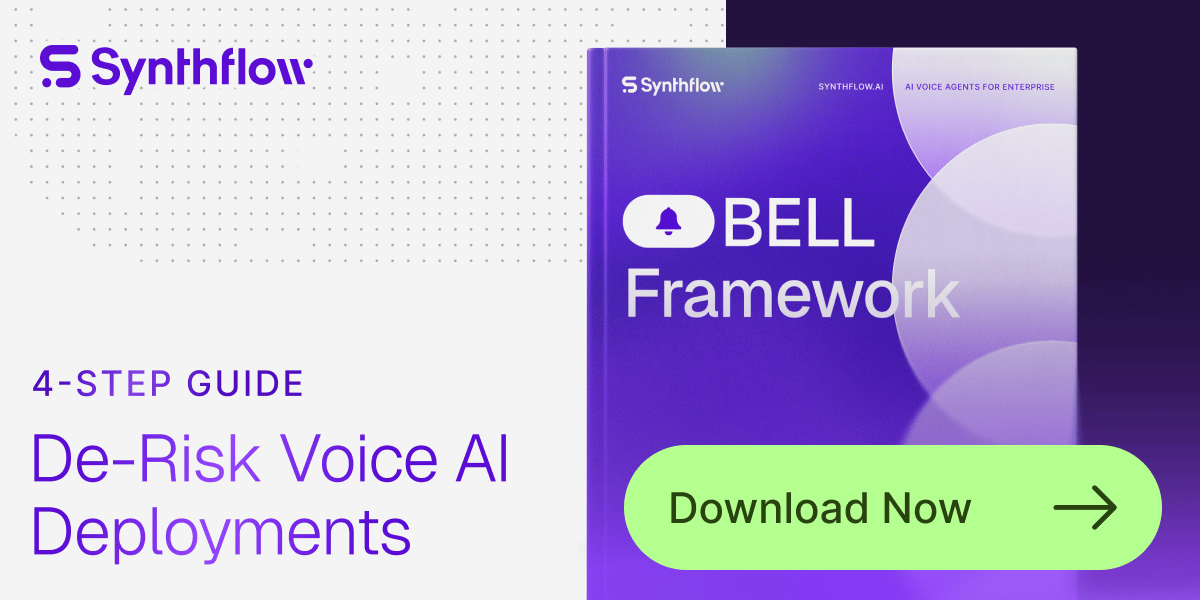
Enterprise teams are automating more calls than ever — but without a consistent framework, deployments become unpredictable, costly, and slow to scale.
The BELL Framework introduces a structured way to design, test, launch, and improve Voice AI agents with reliability.
Get the guide enterprises are now using to de-risk voice automation and accelerate deployment.
TOP TRENDING TOOLS
Nano Banana Pro → Google’s new image AI with improved text rendering, designed to generate clearer, more accurate text within high-quality images.
GPT 5.1 Pro → OpenAI’s powerful new model for Pro users, built to deliver faster performance while producing more accurate and capable results.
Agent 365 → Microsoft’s new platform for managing AI agents, giving enterprises a unified control plane to deploy, monitor, and secure them.
Sam 3D → Meta’s system for creating 3D models from a single image, reconstructing object or human geometry, texture, and layout with fidelity.
Hailuo 2.3 → MiniMax’s AI video model with upgraded realism and motion, letting you generate videos from text or images using Hailuo AI.
AI TUTORIAL
7 Steps to Master Nano Banana Pro (Gemini 3 Pro Image)
Nano Banana Pro is Google’s most advanced image generation model. Use it in the Gemini app, AI Studio, or Vertex to create stunning, text-rich visuals. Here's how to get the best results.

Image Credit: androidauthority.com
1. Craft Detailed Prompts
Start with these essentials:
Subject: Be specific (e.g., “a robot barista with glowing blue eyes”)
Composition: Framing (e.g., “wide shot”)
Action: What’s happening? (e.g., “brewing coffee”)
Location: Set the scene (e.g., “futuristic café”)
Style: Visual tone (e.g., “watercolor”)
🔧 Editing an image? Be direct: “Remove the car in the background.”
2. Use Pro-Level Formatting
Go beyond basic prompts:
Aspect ratio: “16:9 wide cinematic”
Lighting & camera: “Golden hour, shallow depth of field”
Text rendering: Font, color, size
Accuracy prompts: “Victorian era accuracy”, “Scientific diagram”
Reference images: Specify what each one does
3. Leverage World Knowledge & Translation
Translate image text or localize visuals:
“Translate English labels on the cans to Korean, keeping the design unchanged.”
Use Gemini 3’s factual base to create accurate infographics, mockups, and localized content.
4. Focus on Text in Visuals
Generate crisp, legible designs:
Posters
Product packaging
Infographics with callouts
Example:
“Headline ‘URBAN EXPLORER’ in bold white sans-serif, centered at top”
5. Edit with Cinematic Control
Direct visuals like a pro:
Lighting mood
Camera angle
Color grading
Resolution (1K to 4K)
Example:
“Nighttime scene with teal/orange cinematic tones”
6. Blend & Stay Consistent
Combine 6–14 images to:
Maintain character consistency
Create new group scenes
Prompt:
“Combine these images into one 16:9 cinematic frame, match dress from Image B”
7. Apply Your Brand Style
Easily visualize:
Logos on 3D products
Billboards, ads, packaging
Tip: Prompt for each mockup individually to ensure high quality.
⚠️ Limitations to Watch
Text rendering may blur in fine print
Data accuracy not guaranteed
Translations may miss context
Complex edits can cause visual artifacts
|

BRAND NEW RELEASES
Alloy → capture their existing web app and generate high-fidelity, on-brand prototypes using AI and natural-language prompts.
Snippets AI → organize, manage, share, and reuse your AI prompts and code snippets all in one collaborative workspace.
Ogment → turn internal APIs and data into agent-ready tools to be accessed and automated by AI assistants like ChatGPT or Claude.
AutoSubtitles → free tool that lets you upload videos and automatically generate and style subtitles (with no watermark or signup needed).
Lumical → turns meeting invites, posters, or screenshots into fill-in-ready calendar events using AI so you don’t have to type them manually.
That’s a wrap!
Have a great weekend. I’ll see ya in your inbox Monday at noon Eastern Standard Time (U.S.)
Brad Gaines @NinjaAiTools
What did you think of this newsletter? |