- Ninja AI Tools
- Posts
- 🥷 Fresh AI Finds: Trending Tools, Quick How-Tos & Big Headlines
🥷 Fresh AI Finds: Trending Tools, Quick How-Tos & Big Headlines

Ninja AI Tools
February 10, 2026
In partnership with


Buckle up, AI Ninja! Here's what's on the agenda today…
🥷 NINJA AI TOOL: Grow Your Brand Without More Tools
📈 WHAT’S POPULAR: Top Trending AI Websites & Tools
🗞️ WHAT’S HAPPENING: Breaking AI News and Updates
🎓 AI TUTORIAL: Create Real-Time, Opinionated AI Content
🏆 AI TOOLS RANKED: Best AI Music & Sound Design Tools
🔥 HOT OFF THE PRESS: Brand New AI Tool Releases
Read time: 5 mins
Ninja AI Tool
🥷 This Free Tool Replaces Your Link in Bio, Email List, and Storefront
Managing your digital presence across platforms can get messy. One tool for your bio link, another for your shop, something else for email. It's scattered, time-consuming, and adds up fast.
This all-in-one creator hub gives you a single place to run everything. You can build a customizable link in bio that also works as your storefront, email list builder, and brand pitch page.

Here’s what you can do:
Create a clean, branded site in minutes
Sell digital products, courses, and appointments
Promote affiliate links with built-in checkout
Build and email your subscriber list
Share a live media kit to pitch to brands
Track traffic and sales with simple analytics
You no longer need five different tools to grow your brand. This setup puts everything in one place, without the clutter.
Best for: Creators, freelancers, and digital entrepreneurs who want to grow and sell from a single hub.
Get started for free and launch your link in bio and storefront today: Try it here
Attio is the AI CRM for modern teams.
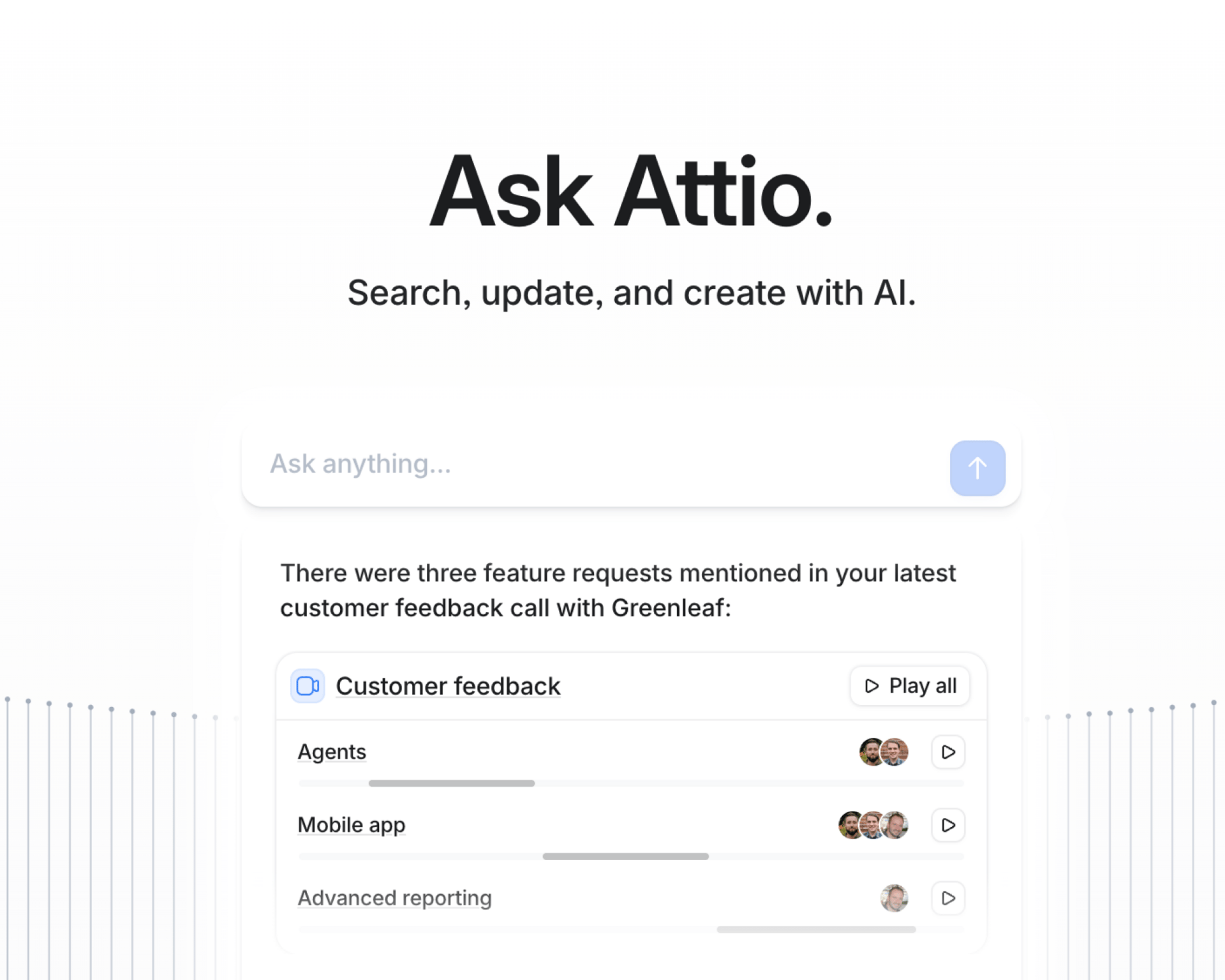
Connect your email and calendar, and Attio instantly builds your CRM. Every contact, every company, every conversation, all organized in one place.
Then Ask Attio anything:
Prep for meetings in seconds with full context from across your business
Know what’s happening across your entire pipeline instantly
Spot deals going sideways before they do
No more digging and no more data entry. Just answers.
Top Trending AI Tools
Here’s what’s trending right now based on usage and creator buzz.
GPT-5.3-Codex → OpenAI’s SOTA agentic coding model, enabling autonomous coding, debugging, and complex software workflows.
Composer 1.5 → updated in-house agentic coding model for planning and solving complex software development workflows.
Codex App → macOS interface for running and managing multiple AI coding agents in parallel across development workflows.
Krea Realtime→ real-time, long-form AI video generation system for creating and updating dynamic visual content workflows.
Breaking AI News

Anthropic Nears Stratospheric $350B Funding Valuation
Why It Matters → Wall Street is making a massive bet that foundation models like Claude will anchor the next era of tech power.
OpenAI Begins Showing Ads in ChatGPT
Why It Matters → AI’s favorite chatbot starts experimenting with ads, testing how to fund growth without losing user trust.
ByteDance Unveils Seedance 2.0, Shaking Up AI Video Generation
Why It Matters → Cinematic AI video takes a leap forward, intensifying the global race for creative AI dominance.
Waymo’s AI-Powered World Model Advances Autonomous Training
Why It Matters → Smarter virtual worlds help self-driving cars prepare for rare, dangerous scenarios before they hit real streets.
Alibaba Debuts RynnBrain for Physical AI and Robotics
Why It Matters → AI moves beyond screens and into robots that can better understand and act in the physical world.
ElevenLabs Launches Audiobooks in Its Creative Suite
Why It Matters → Turning a manuscript into a polished audiobook just became faster, cheaper, and far more accessible.
Anthropic Plans Massive Data-Center Expansion
Why It Matters → The AI arms race now hinges on compute, and Anthropic is scaling up to stay competitive.
HUMAIN Launches AI-Focused Sports Tech Division
Why It Matters → From elite athletes to grassroots leagues, AI is reshaping how sports are played and analyzed.
AI Tutorial
How to Create Real-Time, Opinionated AI Content Using Grok
Use Grok to find live topics, research them with real user sentiment, and produce confident written and visual content in one workflow. Learn how to move from idea to finished content using features other AI tools do not offer.

Start a new project in Grok.
Open Grok and plan to create a piece of content from scratch using only this tool.Ask for trending topics on X.
Type: “What topics in the AI space are getting unusual engagement on X right now?”Review live conversation results.
Scan the output pulled directly from public X posts to identify tension or controversy.Select a topic with clear conflict.
Choose an issue people are actively frustrated or emotional about, such as overhyped AI agents.Trigger deep search mode.
Include the phrase “using deep search” in your next prompt.Run a comprehensive research prompt.
Type: “Using deep search, give me a comprehensive analysis of the current state of AI agents. What are the main tools, what do they promise, what results users get, and where marketing and reality diverge?”Study both marketing claims and user feedback.
Focus on gaps between demos and real-world use described by actual users.Open custom writing instructions.
Use the right-side dropdown to set style rules.Set a confident writing style.
Instruct Grok to write with confidence, avoid hedging, take clear positions, and sound conversational.Write a strong intro with a clear stance.
Prompt: “Write me an intro about AI agents being overhyped. The angle is that ‘set it and forget it’ automation is mostly marketing. Make it punchy.”Push for stronger tone if needed.
Refine with: “Rewrite this more bluntly. Do not be polite about the overpromising.”Generate specific examples from research.
Prompt: “Write three specific examples of the gap between AI agent marketing and reality using the earlier research. Be specific and slightly provocative.”Create supporting visuals in Imagine mode.
Open Imagine, select Image or Video, choose 16:9, and prompt with a visual metaphor like an overwhelmed robot surrounded by error messages.
You now have a complete, research-backed, opinionated content piece created entirely with Grok.
Write PRDs and tests by voice

Dictate PRDs, acceptance tests, and bug reproductions inside Cursor or Warp and get paste-ready text. Wispr Flow auto-tags file names and preserves variable names so your technical writing stays precise. Try Wispr Flow for engineers.
AI Tools Ranked
4 Best AI Music & Sound Design Tools
Tool Name (ranked) | Best For (4–6 words) | Standout Feature (4–6 words) | Price (4–6 words) |
|---|
Vocal songs from text prompts | AI-native DAW, fast iteration | From $24/month Premier plan |
Editable full songs, tight control | Negative prompts plus stem exports | From $10/month Standard tier |
Custom SFX for video/games | Text-to-sound effects with soundboard | From $5/month Starter plan |
Royalty-free background tracks, creators | Genre-length-mood sliders, licensed downloads | From $11.04/month annual Creator |
Brand New Releases
I slice through the noise to bring you the best and coolest new AI tools worth your time.
BayesLab → cleans, analyzes, visualizes, and explains raw data to deliver deep insights and report-ready results without manual coding.
TabAI → organizes your tabs, blocks distractions, and helps you stay focused and productive during work sessions.
Cor → human-like, voice-enabled onboarding agent inside apps to guide users through product training and complex workflows in real time.
Clema → data insights platform that lets research teams query, connect, and analyze multiple data sources through natural language.
That’s a wrap!
I hope your week is getting off to a great start. I’ll see you in your inbox tomorrow at 12 PM Eastern Standard Time.
Brad Gaines @NinjaAiTools
What did you think of this newsletter? |