- Ninja AI Tools
- Posts
- Fresh From the AI Frontlines: Smart Tools & Major Moves
Fresh From the AI Frontlines: Smart Tools & Major Moves

Brad Gaines
November 06, 2025
In partnership with


Hello AI Ninja! Here’s what’s on the agenda today…
🥷 NINJA AI TOOL: Write Essays & Reports Faster Than Ever
🗞️ WHAT’S HAPPENING: Breaking AI News and Updates
🎓 AI TUTORIAL: How to Use the Ultimate ChatGPT Prompt
🔥 HOT OFF THE PRESS: Brand New AI Tool Releases
NINJA AI TOOLS
🥷 The Secret Weapon Students and Academics Are Using to Save Hours
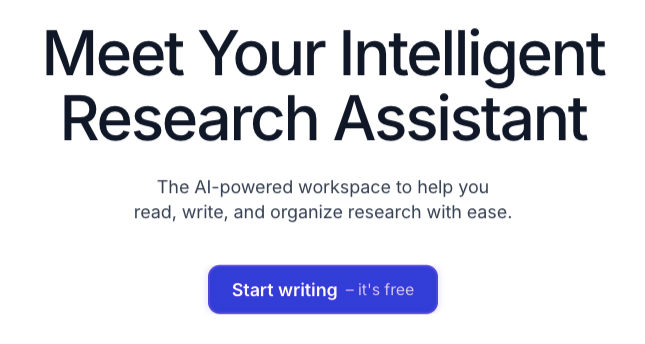
If you write anything research-heavy such as papers, essays, or reports, Jenni AI is a tool worth checking out. It’s an AI-powered writing assistant that helps you research, write, cite, and revise more efficiently while keeping your work grounded in solid sources.
Jenni works like a smart co-author. You can upload PDFs, ask it to summarize or explain them, and generate text that includes properly formatted citations. It supports over 2,600 citation styles. The autocomplete feature helps you keep writing when you're stuck, and the outline builder gives you a framework to get started.
Key Features:
AI autocomplete that helps move your writing forward
In-text citations in thousands of formats
Chat assistant for summarizing and exploring research
Upload your own PDFs and generate content from them
Smart paste that automatically adds citations when pulling from your sources
Export in .docx, .tex, or .html
Translate, simplify, or explain text with AI commands
Seamless integration with BibTex, Zotero, and Mendeley
Real-world uses:
Students can cut hours off writing essays. Researchers can organize literature reviews or polish journal submissions. Marketers and analysts might use it to structure whitepapers or industry reports. Anyone dealing with nonfiction writing that needs citations can benefit from it.
Who it’s best for:
Students, researchers, academics, marketers, and nonfiction writers who want help staying focused and accurate without giving up control of their content.
If you’re curious, you can try it here for free.
A MESSAGE FROM OUR PARTNER
Introducing the first AI-native CRM

Connect your email, and you’ll instantly get a CRM with enriched customer insights and a platform that grows with your business.
With AI at the core, Attio lets you:
Prospect and route leads with research agents
Get real-time insights during customer calls
Build powerful automations for your complex workflows
Join industry leaders like Granola, Taskrabbit, Flatfile and more.
WHAT’S HAPPENING
🗞️ Breaking AI News and Tool Updates
Stay current with the most important developments in AI. Every day, I break down the top headlines—along with why they matter for the future of technology, business, and society.

IBM Plans Thousands of Layoffs Amid AI Pivot
Why It Matters: Marks a sweeping workforce shake-up as IBM doubles down on automation to stay competitive in the global AI economy.Apple Nears $1B Deal for Gemini to Power Next-Gen Siri
Why It Matters: Marks a major pivot as Apple taps Google’s AI to revive Siri and compete in the rapidly escalating race for smarter assistants.
UK Court Narrows Getty vs. Stability AI in Landmark Ruling
Why It Matters: Leaves key copyright issues unsettled, creating new uncertainty over how far AI companies can go in training on online content.
xAI Presses Staff for Biometric Data to Train ‘Ani’ Bot
Why It Matters: Raises fresh concerns over privacy and consent as employees face broad data demands tied to xAI’s new companion models.
OpenAI Surpasses One Million Business Customers Worldwide
Why It Matters: Shows fast-growing enterprise adoption as companies turn to AI tools to boost productivity and prove real returns from automation.
Google Maps Gains Gemini for Conversational, Visual Navigation
Why It Matters: Introduces a major upgrade as AI-driven search and landmark cues aim to make everyday navigation simpler and more intuitive.
Snap Strikes $400M Deal to Embed Perplexity into Snapchat
Why It Matters: Signals a strategic shift as Snap brings verified AI answers into the app to strengthen discovery and keep users engaged.
Edison Scientific Unveils ‘Kosmos’ Autonomous AI Researcher
Why It Matters: Demonstrates rapid progress in automated science as Kosmos analyzes papers and runs code far faster than human teams.
Burry Bets Against AI-Linked Stocks in Warning of a Bubble
Why It Matters: Highlights rising caution as a famed investor challenges soaring AI valuations and warns of overheating in the market.
Startup Stream Ring Debuts Wearable for Instant Idea Capture
Why It Matters: Offers a new way to save ideas quickly as a voice-driven ring aims to reduce friction between inspiration and action.
AI TUTORIAL
🤖 I Created One ChatGPT Prompt That Works In Absolutely Any Situation. Here’s How to Use the Ultimate ChatGPT Prompt
🥇 Step 1: Understand the Purpose of the Master Prompt
This master prompt is designed to:
Save you time by avoiding repeated prompt writing.
Work in any scenario: writing, research, planning, analysis, code generation, and more.
Be customizable to your needs by filling in key fields.
Generate detailed, structured responses with minimal follow-up.
📋 Step 2: Copy the Prompt Template
Open ChatGPT (or any advanced chatbot like Claude or Grok) and paste this full prompt into the input field:
YOU ARE: An expert assistant.

OBJECTIVE
- Goal: {what you want}
- Success: {how you’ll judge it}

CONTEXT
- Audience: {who}
- Topic: {what}
- Constraints: {word count, tone, style (AP), must/avoid}

MODE (pick as needed)
- Edit writing • Generate ideas • Teach • Plan • Research • Analyze/compare • Code • Summarize • Create content • Coach

OUTPUT CONTROLS
- Format: {bullets | steps | table | outline | code}
- Length: {brief | ~500 words | detailed}
- Include: {examples, citations, templates}

TOOLS
- If browsing/tools allowed, use them and cite. If not, note limits and assumptions.

WORKFLOW
1) If unclear, ask up to 3 precise questions. If clear, proceed and state assumptions.
2) Draft the answer.
3) QA for accuracy, logic, and style. Remove fluff.
4) Offer 3 improvement options.

INPUTS
{paste text, data, links, or “none”}
✍️ Step 3: Fill in the Custom Fields
Replace each {placeholder} with your actual input:
Field | Description |
|---|---|
| What you want to accomplish. Example: “Write a blog post on the benefits of meditation.” |
| How you’ll measure a good result. Example: “Clear, friendly tone with SEO keywords.” |
| Who the content is for. Example: “Beginner-level readers interested in wellness.” |
| The core subject. Example: “How meditation reduces stress.” |
| Any limits or requirements. Example: “600 words, friendly tone, avoid jargon.” |
| The type of task. Choose from edit, teach, plan, summarize, etc. |
| Choose how the response should be formatted. Example: “bullets” or “outline.” |
| Choose how long the response should be. |
| Specify extras. Example: “add examples and a call to action.” |
| Provide any existing data, links, or say “none” if you're starting from scratch. |
🧠 Step 4: Run It on a Smart Model
For best results:
Use ChatGPT-5 Thinking (or equivalent advanced model).
Paste the completed prompt and hit enter.
Let the model do the heavy lifting — it will ask clarification questions if needed.
✅ Step 5: Review the Response
Check if:
The output meets your goal.
The format and tone align with your audience.
It provides structured, thoughtful responses.
You should also receive:
3 improvement suggestions.
Citations if tools/browsing is enabled.
⚙️ Step 6: Adjust When Needed
You can modify:
Tone and style.
Output format (e.g., convert a paragraph to bullet points).
Depth (brief or detailed).
Constraints (add/remove requirements).
⚠️ When to Use This Prompt (and When Not To)
✅ Use it when... | ❌ Don’t use it when... |
|---|---|
You need a thorough, structured output. | You just want a quick fact or one-liner. |
You want to save time on setup later. | The task is very simple and doesn’t need structure. |
You want consistent high-quality responses. | You're experimenting or brainstorming casually. |
🧪 Works With Other AI Tools
You can use the exact same prompt with:
Anthropic Claude
xAI Grok 4
Google Gemini Advanced
Just paste it in and edit the fields.
🏁 Final Thoughts
This master prompt is a reusable productivity booster. Instead of writing a new prompt every time, you just fill in the blanks and get a reliable, high-quality response. Ideal for creators, researchers, marketers, students, and more.
HOT OFF THE PRESS
🔥 Brand New Tool Releases
With hundreds of new websites and apps launching every month, we cut through the noise to bring you the most useful and innovative ones to elevate your business and everyday life.
Leads Ward: → filters, scores, and analyzes form submissions to separate real leads from spam and bots for more accurate inbound lead management.
Snowglobe: → generates realistic, persona-driven conversations to test and uncover failure modes in conversational AI systems.
Memorae: → set reminders, manage to-do lists and sync calendars directly via WhatsApp, so you can stay organized without switching apps.
Tripsy: → organizes your flights, hotels, activities, and documents in one place while keeping your itinerary updated and easy to share.
Smart Calendars AI: → create and manage events by voice, photo, or text—then syncs them across your calendars and share via links or QR codes.
That’s a wrap!
Have a great day. I’ll see ya in your inbox tomorrow at noon Eastern Standard Time (U.S.)
Brad Gaines
@NinjaAiTools
What did you think of this newsletter? |