- Ninja AI Tools
- Posts
- Monday's AI Moves: New Tools and Breaking News!
Monday's AI Moves: New Tools and Breaking News!

Brad Gaines
October 13, 2025
In partnership with


Hello AI Ninja! Here’s what’s on the agenda today…
🥷 NINJA AI TOOL: Before You Build Anything, Read This
🗞️ WHAT’S HAPPENING: Breaking AI News and Updates
💡 HIGHLIGHTS: Featured AI Tools From Recent Issues
🎓 AI TUTORIAL: Set Up Alerts and Tasks in Perplexity
🔥 HOT OFF THE PRESS: Brand New AI Tool Releases
NINJA AI TOOLS
🥷 Founders Are Skipping Customer Calls for This
Validating a product idea is tough. Getting useful feedback usually means scheduling interviews, recruiting users, and waiting weeks.
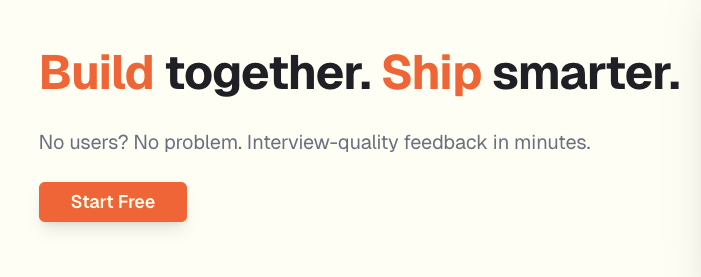
FirstSign offers a faster way. It’s an AI-powered tool that helps you test product ideas and get interview-style feedback in minutes.
You start by describing your idea, your audience, and the problem you’re solving. FirstSign then analyzes your input and delivers a report on market fit and strategy.
From there, you can chat with lifelike AI personas that represent real customer segments.
Key Features:
Instant AI-generated feedback reports
Customizable interview questions and follow-ups
Realistic, data-backed customer personas
Live interactive interviews that go deeper than surveys
Clear insights without human bias
How this helps in the real world:
Say you're building a product and wondering if anyone actually wants it. Or you're refining a pitch and need to stress-test your assumptions. Maybe you’re between ideas and looking for a fast way to compare a few. FirstSign gives you structured, objective insights without the usual hassle or cost of user research.
Who it's best for:
Founders, indie makers, early product teams, and anyone validating new ideas or exploring a pivot.
If you’re curious, you can try it for free here.
A MESSAGE FROM OUR PARTNER
The Simplest Way to Create and Launch AI Agents and Apps

You know that AI can help you automate your work, but you just don't know how to get started.
With Lindy, you can build AI agents and apps in minutes simply by describing what you want in plain English.
→ "Create a booking platform for my business."
→ "Automate my sales outreach."
→ "Create a weekly summary about each employee's performance and send it as an email."
From inbound lead qualification to AI-powered customer support and full-blown apps, Lindy has hundreds of agents that are ready to work for you 24/7/365.
Stop doing repetitive tasks manually. Let Lindy automate workflows, save time, and grow your business
WHAT’S HAPPENING
🗞️ Breaking AI News and Tool Updates
Stay current with the most important developments in AI. Every day, I break down the top headlines—along with why they matter for the future of technology, business, and society.

Microsoft Hires Rishi Sunak as AI Adviser
Why It Matters: A former prime minister advising top AI firms shows growing ties between governments and tech powerhouses.
OpenAI Accused of Intimidating AI Advocate
Why It Matters: Raises serious ethical questions about how AI firms treat critics and use legal power.
xAI Hires Nvidia Team for World Models
Why It Matters: Signals xAI’s push into advanced simulations with real-world applications in robotics and gaming.
Apple to Acquire Prompt AI in Acqui-Hire
Why It Matters: Strengthens Apple’s smart home and vision tech with fresh talent and AI capability.
GPT-5 Reduces Political Bias by 30%
Why It Matters: Shows progress in AI alignment — though measuring bias remains controversial.
GPT-5 and Gemini Ace Space Olympiad
Why It Matters: Demonstrates rapid gains in AI scientific reasoning, but spatial logic still lags.
Study Warns of AI Power Concentration
Why It Matters: Highlights how a few companies dominate AI, sparking new calls for global regulation.
Andrew Tulloch Joins Meta from Thinking Machines
Why It Matters: Reflects Meta’s growing push to secure top AI talent and leadership.
Mark Cuban Offers AI Cameos of Himself
Why It Matters: Shows celebrities embracing AI-generated media and fan engagement.
HIGHLIGHTS
💡 Featured Tools from Recent Issues
In case you missed our recent issues, here’s a quick recap of the latest AI tools we’ve highlighted.
Vmake: → an “all‑in‑one AI talking video” platform that helps users easily create, edit, and enhance talking‑head videos using AI tools.
ClickUp: → unified productivity platform that helps teams manage tasks, docs, communication, and workflows all in one place.
Decktopus: → AI‑powered presentation tool that turns your brief input (like a title or outline) into a polished slide deck automatically.
Grammarly: → writing assistant that helps you check grammar, spelling, clarity, and tone to improve your writing in real time.
Galaxy AI: → over 3,000 powerful AI tools all in one place, making it easy to streamline tasks, boost productivity, and enhance your entire workflow.
AI TUTORIAL
🧠 How to Set Up Alerts and Tasks in Perplexity
Perplexity AI offers a powerful alerts and tasks feature that can help boost your productivity by automating reminders, news briefings, weather updates, stock alerts, and more. Here's how to set it up:
🥇 Step 1: Open Your Perplexity Account
Go to Perplexity AI on your desktop or open the Perplexity app.
Sign in to your account (required to access the task features).
Click on your account icon (the silhouette with "Account" underneath).
🧰 Step 2: Access the Tasks Tool
In the Settings menu, locate the “Tasks” section.
Click on it — you’ll see two options:
Use a pre-made task template
Create your own custom task
Pre-made tasks include things like:
Daily news updates
Weekly stock summaries
Monthly science breakthroughs
✍️ Step 3: Create a Custom Task
Choose the “Describe what you want to automate” option.
Enter a prompt in plain language — for example:
Perplexity will then automatically rewrite this into an internal instruction like:
“Daily weather updates and top news in Bristol, UK.”
“Latest news headlines and weather forecast for Bristol, UK, including local events, public services updates, and daily weather conditions.”
⏰ Step 4: Set Schedule and Notifications
Choose how often your task should run:
Once
Daily
Weekly
Monthly
Yearly
Optionally set an expiration date for the task.
Select how you want to be notified:
In the app
Email
Text message (SMS)
⚙️ Step 5: Customize Advanced Settings (Optional)
For advanced users:
You can specify how the information is sourced.
Choose which AI model to run the task (for example, you might prefer a faster model for frequent tasks or a more in-depth model for research-heavy prompts).
💡 Example Tasks You Can Set
Daily: “Morning briefing with top world news and local weather.”
Weekly: “Summary of my stock portfolio performance.”
Monthly: “Latest AI and science research breakthroughs.”
Reminders: “Buy Christmas gifts and suggest ideas for [person].”
Learning: “Give me a new topic to explore with a detailed explanation.”
🆚 Bonus: Perplexity vs ChatGPT Tasks
Perplexity: Best for news digests, topic exploration, and alerts based on real-time data.
ChatGPT (with Scheduled Tasks): Ideal for creating documents, email drafts, or complex workflows.
This hidden Tasks & Alerts feature in Perplexity is a productivity powerhouse.
Whether you're staying up to date with the news or getting nudges for your personal goals, it's a smart way to automate daily information.
HOT OFF THE PRESS
🔥 Brand New Tool Releases
With hundreds of new websites and apps launching every month, we cut through the noise to bring you the most useful and innovative ones to elevate your business and everyday life.
Soshi: → an AI‑powered “social media expert” platform that automates content strategy, audience engagement, and growth tactics for brands.
Explo: → embed AI‑driven dashboards, reports, and data sharing features directly into their products for customer analytics.
FliipBook: → simple web app that lets users draw frame‑by‑frame animations and export them as GIFs.
TrackReviews: → monitors App Store reviews (including competitors’ apps) in real time and sends notifications into Slack.
Kiro: → converts your prompts into structured specs, designs, and tasks, then uses autonomous agents to help you build and maintain code projects.
That’s a wrap!
I hope you had a great weekend. I’ll see ya in your inbox tomorrow at noon Eastern Standard Time (U.S.)
Brad Gaines
@NinjaAiTools
What did you think of this newsletter? |