- Ninja AI Tools
- Posts
- 🥷 This AI Tool Does the Work for You + Hot Trends + Easy Guide
🥷 This AI Tool Does the Work for You + Hot Trends + Easy Guide

Brad Gaines
December 03, 2025
In partnership with


Here’s what’s on the agenda today…
🥷 NINJA AI TOOL: Turn Ideas Into Software in Minutes
🗞️ WHAT’S HAPPENING: Breaking AI News and Updates
📈 WHAT’S POPULAR: Top Trending AI Websites & Tools
🎓 AI TUTORIAL: Perplexity’s Comet Browser Shortcuts
🔥 HOT OFF THE PRESS: Brand New AI Tool Releases
NINJA AI TOOLS
🥷 This AI Tool Turns Ideas Into Software in Minutes
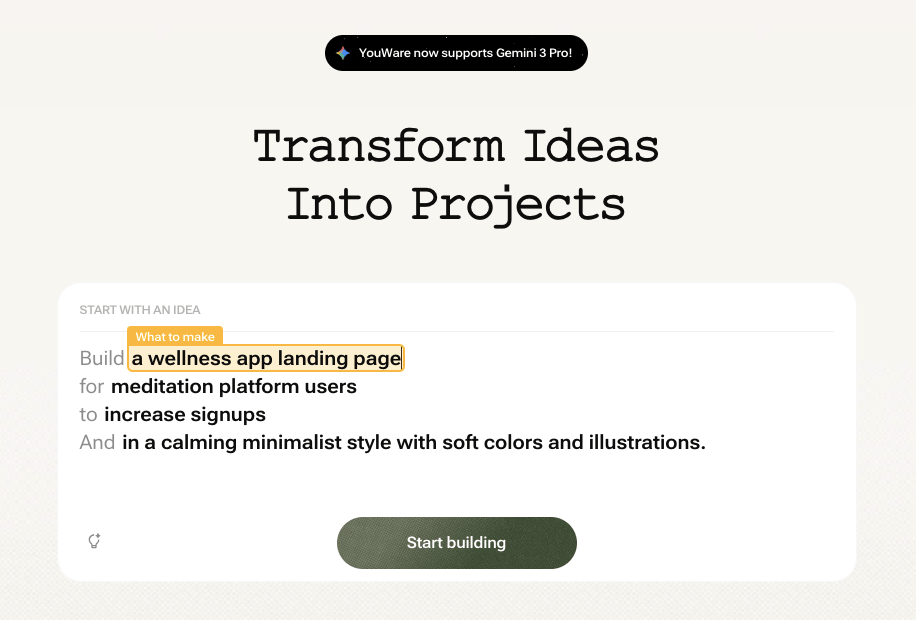
You know the feeling. You're on the train or sitting in a café when a great app idea hits. But by the time you're back at your laptop, it's gone. Youware helps solve that problem by letting you build real software right from your phone or desktop just by describing your idea.
At its core, Youware is an AI-powered app builder. You speak or type your project idea, and the platform turns it into a working app with a backend, database, analytics, and hosting. There's no setup, no API keys, and no configuration files. Just a functioning app you can refine, improve, and publish.
Key Features include:
Voice or text-based app creation
Automatic backend and database setup
Built-in analytics and growth tracking
One-click publishing and live preview
Mobile and desktop syncing
Undo, version history, and feature enhancements
Strong default privacy and enterprise-grade security
A builder community with over 500,000 users
Why it matters:
Let’s say you sketch out a freelance project tracker during lunch and publish it by the end of the day. Or you mock up a client’s app idea while you’re on a call, then fine-tune it with their feedback in real time. Youware is designed for fast progress without getting stuck in tool setup or deployment headaches. It keeps you moving.
Best for:
Freelancers, indie hackers, startup founders, or anyone who gets ideas when they’re not at their desk. Also useful for students or non-coders who want to experiment with working software.
Want to see it in action? Watch the reel I just posted where I walk through exactly how it works.
Or skip straight to trying it out: Click here to try it for free.
A MESSAGE FROM OUR PARTNER
Unify Your Coaching Experience to Unlock Revenue Growth

Your clients expect more than content, they expect an experience.
Join 7-figure business coach and former IBM marketing executive, Julie Ciardi, for a free workshop on how she scaled her coaching business to $3.M by prioritizing a premium client experience on Kajabi.
Julie will show how combining courses, coaching, community, and her private podcast into one branded hub creates a cohesive experience that boosts engagement, increases loyalty, and drives long-term revenue, all powered by Kajabi’s full suite.
BREAKING AI NEWS

AWS Unveils Sweeping AI Tools at re:Invent
Why It Matters → These new tools could help companies train, customize, and launch AI faster while scaling across industries.
Mistral Releases Open-Weight Models Including Sparse LLM
Why It Matters → Open and flexible models like these can power mobile apps and global systems with no licensing cost.
NVIDIA Launches Open AI for Driving, Robotics
Why It Matters → Making advanced AI tools open source could speed up progress in self-driving, robotics, and real-world reasoning.
OpenAGI Foundation Claims Faster AI Agents
Why It Matters → Fast and affordable AI running on desktop computers could bring smarter automation into everyday digital tasks.
Claude Code Hits $1B as Anthropic Buys Bun
Why It Matters → A $1 billion AI coding tool shows how quickly generative AI is transforming the way software gets built.
Apple’s AI Chief John Giannandrea to Retire
Why It Matters → A leadership change at Apple may shape how the company approaches safety, privacy, and future AI models.
Microsoft CEO Urges Diverse AI Industry Growth
Why It Matters → Satya Nadella says AI must create broad benefits while managing the growing strain on global energy systems.
Microsoft Cuts AI Sales Targets After Misses
Why It Matters → Slow enterprise adoption raises concerns about whether AI demand will turn into real business revenue soon.
Zapier Survey Finds Most Firms Misuse AI
Why It Matters → Many companies now use AI tools but still struggle to connect them, causing waste, errors, and inefficiency.
TOP TRENDING TOOLS
Mistral 3 → open-source family of efficient, multilingual AI models designed to scale from edge devices to large deployments.
DeepSeek V3.2 → DeepSeek’s latest open-source language model, delivering powerful and efficient reasoning capabilities.
Math V2 → DeepSeek’s open-source AI model focused on strong, self-verifiable mathematical reasoning and theorem-proving.
Lux → powerful computer-use model built to enable autonomous agents to perform complex, goal-driven tasks.
Amazon Nova → set of four new AWS models with built-in services for training and customizing them.
AI TUTORIAL
Mastering Perplexity’s Comet Browser with Shortcuts

Perplexity’s Comet browser is designed for fast, AI-powered browsing. To get the most out of it, learn these essential keyboard shortcuts.
📌 Step 1: Bookmark All Open Tabs
Shortcut (Mac): Cmd + Shift + D
Shortcut (Windows): Ctrl + Shift + D
Saves all your open tabs into a single bookmark folder.
Perfect for saving your session before ending the day.
💬 Step 2: Open the Comet Assistant
Shortcut (Mac): Cmd + J
Shortcut (Windows): Ctrl + J
Opens the AI Assistant sidebar on the current page.
Lets you ask questions, summarize content, or run shortcuts without navigating away.
🧠 Step 3: Summarize the Current Web Page
Shortcut (Mac): Cmd + Shift + S
Shortcut (Windows): Ctrl + Shift + S
Automatically summarizes the entire page.
Great for getting a quick overview of long articles or reports.
Tip: You can also select specific text, then use the same shortcut to summarize just that selection.
🎤 Step 4: Use Voice Mode
Shortcut (Mac): Shift + Option + V
Shortcut (Windows): Shift + Alt + V
Enables voice-based interaction with Comet.
Useful when you’re multitasking or just prefer speaking over typing.
🔍 Step 5: Open the Command Palette
Shortcut (Mac): Cmd + K
Shortcut (Windows): Ctrl + K
Opens a universal command bar.
Lets you search tabs, run actions, and interact with Comet faster than using the mouse.
⚡ Bonus: Use Comet's Slash Commands
In the Assistant input box or search bar, type / to access Comet Shortcuts, which are pre-built prompt templates.
Example slash commands:
/summarize– Summarizes a web page./research– Gathers research on a topic./extract– Extracts structured info from a page.
🧠 Quick Reference Cheat Sheet
Action | macOS Shortcut | Windows/Linux Shortcut |
|---|---|---|
Bookmark all tabs |
|
|
Open Assistant |
|
|
Summarize page/text |
|
|
Voice Mode |
|
|
Command Palette |
|
|
These shortcuts can save you serious time. Learn a few at a time, and you’ll soon browse faster and smarter.
|

BRAND NEW RELEASES
Threadsignals → helps businesses find warm leads by discovering online conversations where people are actively asking for solutions.
AddSubtitle → automatically adds subtitles to videos and can translate and dub them into over 100 languages to reach a wider audience.
Nao → connects to your data warehouse to help teams write SQL, Python, and dbt workflows with better context and accuracy.
Klariqo → handles phone calls and website chats, books appointments, qualifies leads, and answers customer questions automatically.
FlickNote → turns your spoken ideas or text into organized, searchable notes and automatically syncs them with your favorite apps.
That’s a wrap!
Have a great Hump Day. I’ll see ya in your inbox tomorrow at noon Eastern Standard Time (U.S.)
Brad Gaines @NinjaAiTools
What did you think of this newsletter? |