- Ninja AI Tools
- Posts
- 🥷 This Weekend in AI: Hot Tools & Major Updates
🥷 This Weekend in AI: Hot Tools & Major Updates

Brad Gaines
December 08, 2025
In partnership with


Buckle up, AI Ninjas! Here's what's on the deck today…
🥷 NINJA AI TOOL: Turn 1 Video Into 10 Viral Clips Instantly
📈 WHAT’S POPULAR: Top Trending AI Websites & Tools
🗞️ WHAT’S HAPPENING: Breaking AI News and Updates
📉 AI TOOLS RANKED: Top Image Generators for 2026
🎓 AI TUTORIAL: How To Build Funnels in 10 Minutes Flat
🔥 HOT OFF THE PRESS: Brand New AI Tool Releases
NINJA AI TOOL
🥷 The Ninja Secret Weapon Behind High-Performing Short Videos
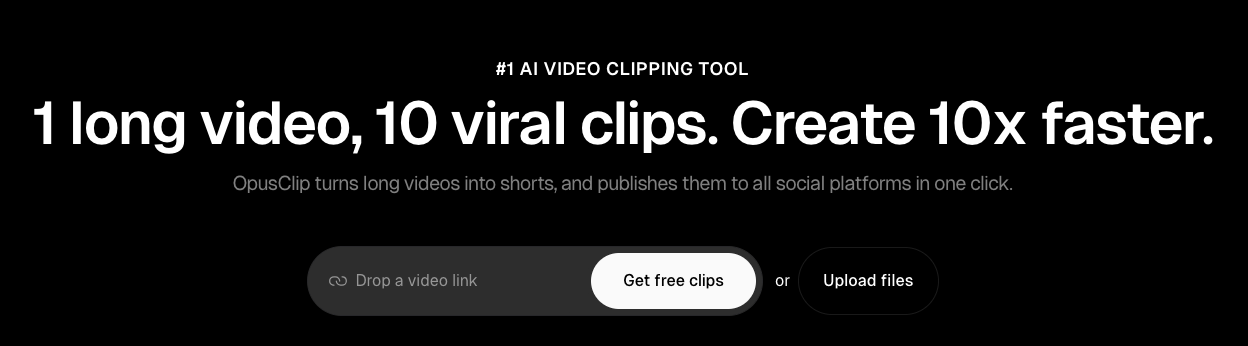
Whether you're a solo creator, marketer, or small team, repurposing long-form content for platforms like TikTok, YouTube Shorts, or Instagram Reels can be a massive time drain. That’s where OpusClip comes in.
What it does:
OpusClip uses AI to automatically convert long videos into short, shareable clips that are optimized for engagement. Just upload a video, and in one click, you’ll get multiple polished short-form clips with captions, reframed visuals, and a virality score to help you choose the most compelling ones.
Key Features:
ClipAnything: Works with all video types (not just podcasts), including vlogs, tutorials, interviews, and gaming.
ReframeAnything: Auto-resizes your videos for each platform, keeping the subject centered.
AI Captions: Animated, multi-language subtitles with emojis and keyword highlights.
Workflow Automation: One-click publishing to social media or export to your favorite editor.
Brand Templates & Team Tools: Customize branding and collaborate with ease.
Why It’s Useful:
If you're trying to keep a steady content pipeline without burning out, OpusClip helps you do more with less. Creators can repurpose YouTube videos into Shorts. Agencies can streamline content delivery. Marketers can auto-generate clips for product demos or webinars. It’s also a huge win for educators and coaches who want to repackage lectures into digestible clips.
Who It’s Best For:
Content creators and YouTubers
Freelancers and social media managers
Marketing teams and educators
Startups looking to scale video output without hiring
A MESSAGE FROM OUR PARTNER
200+ AI Side Hustles to Start Right Now

AI isn't just changing business—it's creating entirely new income opportunities. The Hustle's guide features 200+ ways to make money with AI, from beginner-friendly gigs to advanced ventures. Each comes with realistic income projections and resource requirements. Join 1.5M professionals getting daily insights on emerging tech and business opportunities.
TOP TRENDING AI TOOLS
Here’s what’s trending right now based on usage and creator buzz.
Seedream 4.5 → ByteDance’s upgraded AI model for generating and editing high-quality, consistent images.
VibeVoice → Microsoft’s open-source, real-time text-to-speech model that turns written text into natural multi-speaker audio.
Kling Avatar 2.0 → generate upgraded avatar videos or animations from prompts or images with outputs up to five minutes long.
Fastshot → turn ideas or Figma designs into App Store–ready mobile apps in minutes simply by chatting with AI.
BREAKING AI NEWS
What’s happening across the AI world right now.

The New York Times Sues Perplexity in Major AI Showdown
Why It Matters → The case could set defining limits on how AI systems use copyrighted journalism and reshape fair-use law.
Trump Moves to Centralize U.S. AI Approval Rules
Why It Matters → A single national regulatory process could dramatically alter how AI is governed, deployed, and scaled across states.
Meta Expands Meta AI With Real-Time Publisher Content
Why It Matters → Direct news partnerships may influence where millions get information and how AI assistants shape public understanding.
Poetiq Breaks 50% Barrier on ARC-AGI-2 With New Meta-System
Why It Matters → A leap in reasoning performance signals rapid progress toward more general, self-improving AI capabilities.
Meta Acquires Limitless AI and Shifts Its Product Strategy
Why It Matters → The deal highlights rising competition in AI “memory tools” and raises questions about data control and consumer trust.
Amazon Touts AI ‘Co-Workers’ Amid Big Layoffs
Why It Matters → Pairing automation messaging with job cuts fuels concerns that AI may replace workers faster than companies claim.
PNNL and DOE Launch High-Speed Microbial AI Research Platform
Why It Matters → Accelerated bio-research could reshape the U.S. bioeconomy and speed development of new fuels, materials, and chemicals.
OpenAI Pulls ChatGPT App Suggestions After User Backlash
Why It Matters → The misstep highlights the challenges of trust, UX design, and commercialization inside widely used AI products.
AI TOOLS RANKED
Each issue, I rank tools in a specific category so you know what’s actually worth using. Today? Image Generators.
Tool | Best Use Case | AI Capabilities | Pricing | Key Limitation |
|---|---|---|---|---|
Best overall, highly realistic images | Excellent realism, strong character consistency, best text-in-image performance | Free tier → $20/mo upgrade | Slightly slower generation; infographic text can still be hit-or-miss. | |
Creative brainstorming / artistic concepts | Extremely creative, stylized outputs | $10/mo+ | Not ideal for realism; images public unless using stealth (paid) | |
Professional, commercial-safe content | Versatile styles, strong pre-gen controls, Adobe integration | ~$10/mo+ | Weaker photorealism; no true built-in editing tools | |
Open-source, advanced customization | Highly detailed outputs; extensive editing controls | Varies; Stability AI plan $10/mo | Complexity of setup; different versions across platforms |
AI TUTORIAL
How to Build High-Converting Funnels in 10 Minutes Flat
If you’ve never built a funnel before, this will get you from zero to live in 10 minutes.

Head over to Onepage and Start a Project
→ Create new project → Pick a funnel template (e.g. multi-step form).Customize the Page
→ Use drag-and-drop sections (About, FAQ, etc.)
→ Edit the form steps & design.Add Form Elements
→ Use sliders, text fields, checkboxes, etc.
→ Add/remove steps as needed.Set Logic & Design
→ Add conditional logic (e.g. skip steps).
→ Enable progress bar & transitions.Publish & Share
→ Hit Publish → Get a live URL (or connect custom domain).Track & Integrate
→ View leads & conversion stats.
→ Sync with Zapier, CRM, or webhook.
✅ Pro Tip: Start with templates for speed. The design looks professional by default, so you don't need any coding or design skills.
BRAND NEW RELEASES
I slice through the noise to bring you the best and coolest new AI tools worth your time.
Crow → lets developers add a fully functional AI copilot to their app in minutes by connecting backend endpoints, context, and UI.
Gleam → run giveaways, contests, lead-generation campaigns, and collect rapid feedback on designs via an AI-powered review panel.
Superfill AI → learns your personal information to automatically fill out forms such as job applications, surveys, or rentals for you everywhere.
Microedits → lets you update any website by entering its URL and describing the changes you want in simple, plain English.
That’s a wrap!
I hope you had a great weekend. I’ll see ya in your inbox tomorrow at noon Eastern Standard Time (U.S.)
Brad Gaines @NinjaAiTools
What did you think of this newsletter? |