- Ninja AI Tools
- Posts
- Today’s Top AI Tool + Hot Headlines + A Head-to-Head of Two AI Juggernauts
Today’s Top AI Tool + Hot Headlines + A Head-to-Head of Two AI Juggernauts

Brad Gaines
October 20, 2025
In partnership with


Hello AI Ninja! Here’s what’s on the agenda today…
🥷 NINJA AI TOOL: Make a Training Video in 5 Minutes
🗞️ WHAT’S HAPPENING: Breaking AI News and Updates
💡 HIGHLIGHTS: Featured AI Tools From Recent Issues
🎓 AI TUTORIAL: Google Gemini vs ChatGPT Plus
🔥 HOT OFF THE PRESS: Brand New AI Tool Releases
NINJA AI TOOLS
🥷 Your PDFs Are Boring. This Makes Them Watchable.
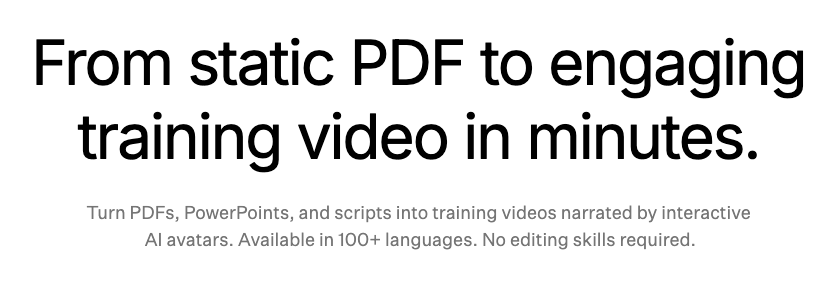
If you’ve ever struggled to get people to actually read your internal training docs or onboarding PDFs, Colossyan might be worth a look.
It is a browser-based tool that converts static content like PDFs, PowerPoints, or plain scripts into video using lifelike AI avatars.
Think of it as a faster way to make explainer or training videos without needing a camera, studio, or editing skills.
Key Features:
Upload text, PDFs, or slides and Colossyan turns them into videos
Choose from realistic AI avatars to narrate and host your content
Supports over 100 languages and accents for localization
Easy editing with a slide-based interface
Personalization options by role or region
Shareable on any platform, with collaborative access for teams
Real-World Use Cases
Colossyan is useful for anyone who needs to turn information into something people will actually pay attention to. Teams can replace dense training manuals with dynamic videos. Startups can streamline onboarding. HR can roll out company-wide updates in multiple languages. Freelancers and educators can create explainers without hiring voice actors or editors. You save time and get more engagement, without extra production overhead.
Who It’s Best For
Learning and development professionals
HR and internal communications teams
Freelancers and solo educators
Global teams working across languages
Anyone tired of making or watching PowerPoint trainings
If you’re curious, you can try it for free here.
A MESSAGE FROM OUR PARTNER
The Simplest Way To Create and Launch AI Agents

Imagine if ChatGPT, Zapier, and Webflow all had a baby. That's Lindy.
With Lindy, you can build AI agents and apps in minutes simply by describing what you want in plain English.
→ "Create a booking platform for my business"
→ "Automate my sales outreach"
→ "Create a weekly summary about each employee's performance and send it as an email"
From inbound lead qualification to AI-powered customer support and full-blown apps, Lindy has hundreds of agents that are ready to work for you 24/7/365.
Stop doing repetitive tasks manually. Let Lindy automate workflows, save time, and grow your business.
WHAT’S HAPPENING
🗞️ Breaking AI News and Tool Updates
Stay current with the most important developments in AI. Every day, I break down the top headlines—along with why they matter for the future of technology, business, and society.

IBM and Groq Partner to Accelerate Enterprise Agentic AI
Why It Matters: Groq’s blazing-fast chips bring IBM’s AI tools to life, helping industries like healthcare and finance build smarter assistants.Anthrogen Unveils Odyssey for Next-Gen Protein Design
Why It Matters: Massive new models help scientists design proteins faster and smarter, opening doors in drug research and synthetic biology.Health Data Analytics Institute Launches AI EHR Platform
Why It Matters: Doctors using this platform can instantly see key patient risks, thanks to summaries built from deep AI-driven chart reviews.Gemini API Adds Grounding with Google Maps Integration
Why It Matters: Developers can now build location-smart AIs that understand addresses, hours, and reviews—plus map-aware search context.Meta Rolls Out Teen Safety Controls for AI Characters
Why It Matters: Parents gain more power to oversee teen AI chats with age filters, topic limits, and visibility into their kids’ interactions.Uber Drivers Can Now Train AI for Extra Pay During Downtime
Why It Matters: Couriers and drivers can label data between trips, recording clips or uploading photos to help improve AI training systems.OpenAI Pauses Sora’s Use of Martin Luther King Jr. Likeness
Why It Matters: OpenAI now blocks likenesses of MLK after misuse, letting estates of historic figures request takedowns across the platform.Andrej Karpathy Warns AGI Still a Decade Away
Why It Matters: He says we’re far from real intelligence, pointing to memory gaps, bad reasoning, and flawed training methods in today’s AI.
HIGHLIGHTS
💡 Featured Tools from Recent Issues
In case you missed our recent issues, here’s a quick recap of the latest AI tools we’ve highlighted.
Persuva: → generate fully-designed, high-converting product pages in under five minutes by simply pasting an AliExpress or Shopify product link.
Walter: → rewrites AI-generated text to make it sound more human while also detecting whether text was AI-written.
Hume AI: → voice technology (text‑to‑speech and speech‑to‑speech) that understands and responds with real, human-like expression.
Ranked AI: → managed SEO and PPC solutions (including white-label options) to help businesses improve their online visibility and ROI.
FirstSign: → define an idea and instantly run conversational AI “interviews” to validate your market fit and customer personas.
AI TUTORIAL
🧠 How to Choose Between Google Gemini Pro and ChatGPT Plus
Step 1: Understand the Free Versions
Both Google Gemini and ChatGPT offer free versions.
You can try them casually for:
Answering questions (e.g., best restaurant in a new city).
Generating images.
Engaging in basic conversations.
Limitation: Free tiers cap your usage and lack advanced tools.
Step 2: Explore Google Gemini Pro
Model & Capabilities
Powered by Gemini 2.5 Pro, Google’s most advanced AI model.
Understands text, audio, images, and even video.
Supports 24+ languages and captures subtle nuances in voice.
Provides longer, more detailed responses and fluid conversational threads.
Special Features
Vibe-coding: Turns static images into animated contexts (e.g., leaves blowing, water flowing).
Deep integration with Google apps (Docs, Gmail, Vids, Chrome).
1,000 monthly AI credits for video generation and deep search.
Access across Google devices and smart home products via Gemini Live.
Storage & Perks
Includes 2TB of Google Drive storage.
Bundled with Google Home Premium for smart device control.
Cost
$19.99/month.
Free first month.
Free for students.
Step 3: Explore ChatGPT Plus
Model & Capabilities
Uses GPT-5, OpenAI’s most advanced model.
Understands text, image, and audio prompts.
Provides faster, more accurate responses.
Special Features
Voice conversations with memory for contextual follow-up.
Image generation and file uploads/analysis (Google Drive, OneDrive, etc.).
Create custom GPTs (personalized AI bots).
Limitations
Usage caps may still apply during high-demand times.
Occasional message limits despite the upgrade.
Cost
$20/month.
Priority access during peak times.
Faster responses and early access to new features.
Step 4: Compare the Two
Google Gemini Pro Advantages:
Best for people already using Google’s ecosystem (Docs, Gmail, Drive, Pixel devices, Nest smart home).
Offers extra storage (2TB Drive).
Expands into video, smart home integration, and deep Google services.
ChatGPT Plus Advantages:
Best if you need fast, advanced text/audio/image interaction.
Good for custom workflows and bot creation.
Great for handling research, file analysis, and personal productivity.
Step 5: Decide Which One Fits You
Choose Google Gemini Pro if:
You’re heavily invested in Google apps and services.
You want smart home integration and extra cloud storage.
You’d benefit from video generation credits.
Choose ChatGPT Plus if:
You use AI daily for writing, research, or problem-solving.
You want custom AI assistants tailored to your needs.
You value speed and availability, even at peak usage.
Stick with the Free Version if:
You only use AI occasionally.
You haven’t run into frustrating wait times or token limits.
✅ By following these steps, you can clearly identify whether Google Gemini Pro or ChatGPT Plus is the better choice for your personal or business use.
HOT OFF THE PRESS
🔥 Brand New Tool Releases
With hundreds of new websites and apps launching every month, we cut through the noise to bring you the most useful and innovative ones to elevate your business and everyday life.
The Gist Of: → create a simple, storytelling-focused personal mini-site that works as a link-in-bio, portfolio, or digital business card.
Krepling: → enables creators and businesses to build, manage and scale online stores and sales flows entirely without writing code.
Yapify: → turns your spoken or typed intent into polished, ready-to-send emails in your style and with full context.
Flowy: → Mac screen recorder and editor that auto-adds animations and effects for polished tutorials and demos.
Polyglotta: → multilingual translation tool that shows a phrase in many languages at once, designed for language learners and curious minds.
That’s a wrap!
I hope you had a great weekend! I’ll see ya in your inbox tomorrow at noon Eastern Standard Time (U.S.)
Brad Gaines
@NinjaAiTools
What did you think of this newsletter? |